Resources
Resources is the library of official images and videos of your avatar, ready to download and use in your own material: social media, website, presentations, email signatures. That way the agent your customers see on WhatsApp is the same one they see on your Instagram.
Open it under Biky admin → Resources.
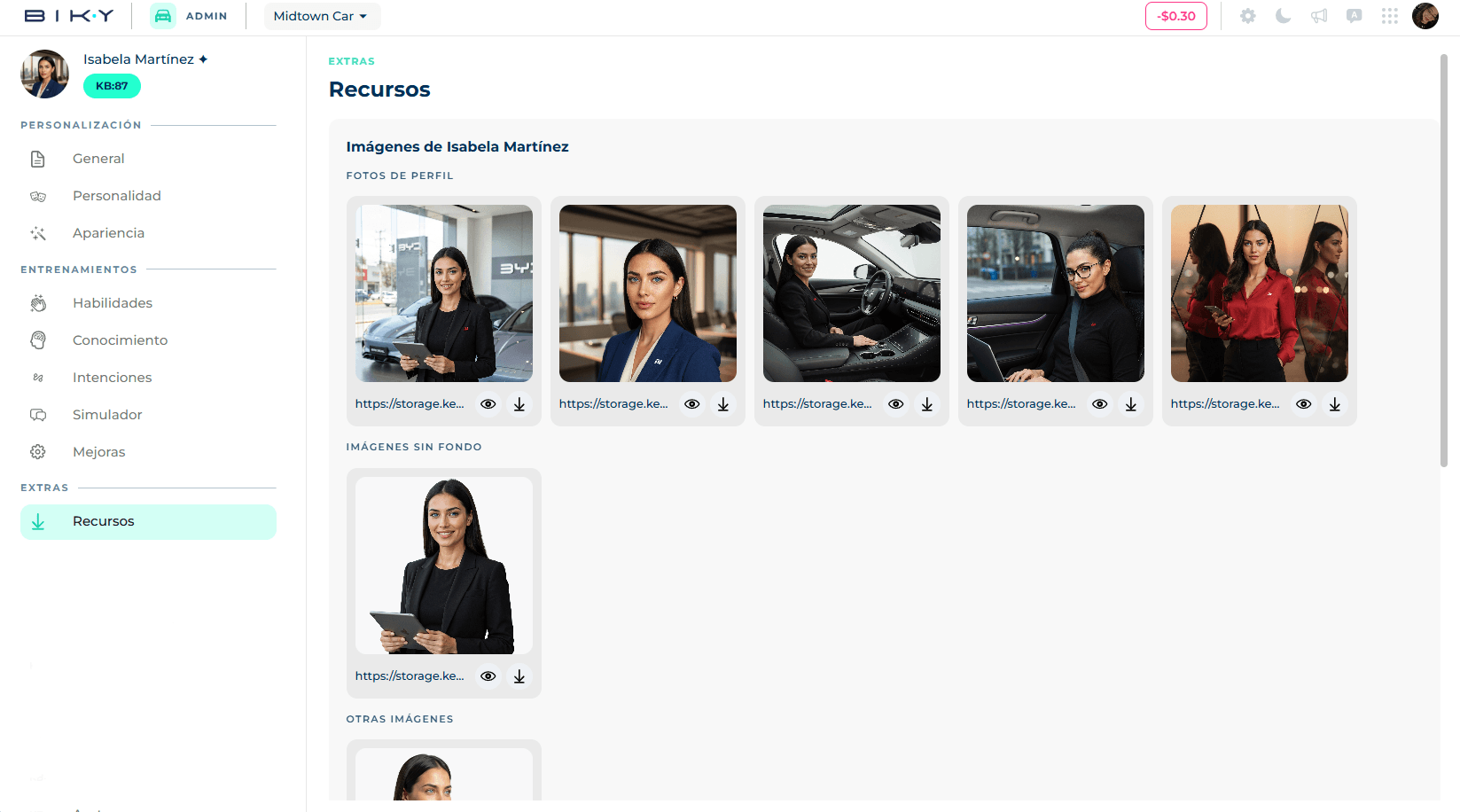
What you find
The resources are those of the avatar selected in Appearance. If you change avatar, the resources change.
Images
- Profile pictures: the same ones you can pick as profile photo, in high resolution.
- Background-free: the full-body avatar cut out, to place over your own designs.
- Other images: additional poses and variants the Keybe team produced for that avatar.
Videos
- Background-free: avatar clips with transparent background, to overlay on your videos.
- Other videos: avatar presentations and animations.
Download
- Under each resource there are two icons: the eye opens it enlarged for preview and the arrow downloads it directly.
- The enlarged view also has a Download button.
If a section says No resources, that avatar has no material of that type yet. Prime avatars usually come with more variants; if you need a specific pose or format, ask your Keybe representative.
Use the same name
In your posts, introduce the avatar with the name it has on the platform. Customers who already chatted with "Valentina" recognize her in your feed.