Catalog
The Catalog is the inventory of what you sell: products with their price, stock, photos, variations and offers. It is the source the agent pulls from when recommending products in a chat (Catalog skill), what fills the Products section of a SalesCard, and what feeds the web widget.
The side menu
| Group | Section | What is there |
|---|---|---|
| Catalog | Collections | Groupings of products to show them together. |
| Categories | The classification of your products. | |
| Products | The main list. | |
| Imports | Load products in bulk from a CSV. | |
| Archived | Products withdrawn without deleting. | |
| Integrations | Connection with Shopify, Wasi and other platforms. | |
| Default catalogs | Cars, Motorcycles | Catalogs preloaded by Keybe with the sector's brands and models. Instead of entering every model by hand, you take them from here. |
Top right, the catalog's total value.
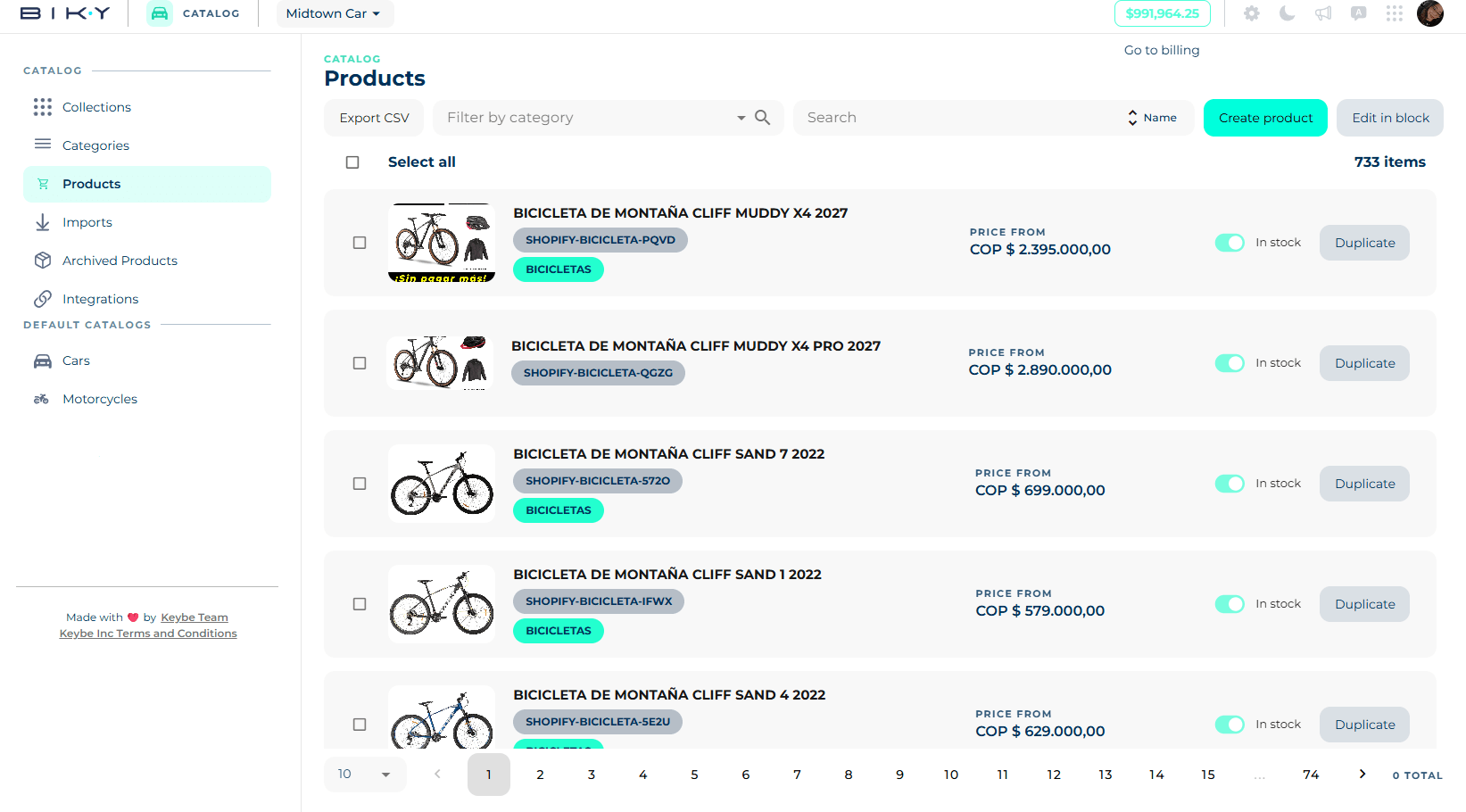
The product list
- Export CSV: it is emailed to you.
- Filter by category and Search by name.
- Sort (by name and other criteria).
- Create product and Edit in block.
- Select all plus each row's checkbox enable Archive, Unarchive and Delete permanently.
Each row shows the image, the name, its categories as chips, the price (with Price from if it has several offers), the stock status (In stock / Out of stock), the market active switch and Duplicate. If an image failed, an image errors notice appears.
At the bottom, the page size and pagination.
The catalog is what the agent knows how to sell
A product with no photo, no description or no price is a product the agent will not be able to offer well. Before turning on the Catalog skill, check that your best sellers are complete.
In this section
- Create and edit products: information, media, prices, offers, discounts and variations.
- Organize and integrate: categories, collections, default catalogs, imports and integrations.