Skills
Skills are what the agent can do besides chatting: look up the catalog, book appointments, hand over to an advisor, send voice notes, pick up abandoned conversations. Each one is a card you turn on or off with a click; the ones with settings also show a configuration button.
You edit them under Biky admin → Skills.
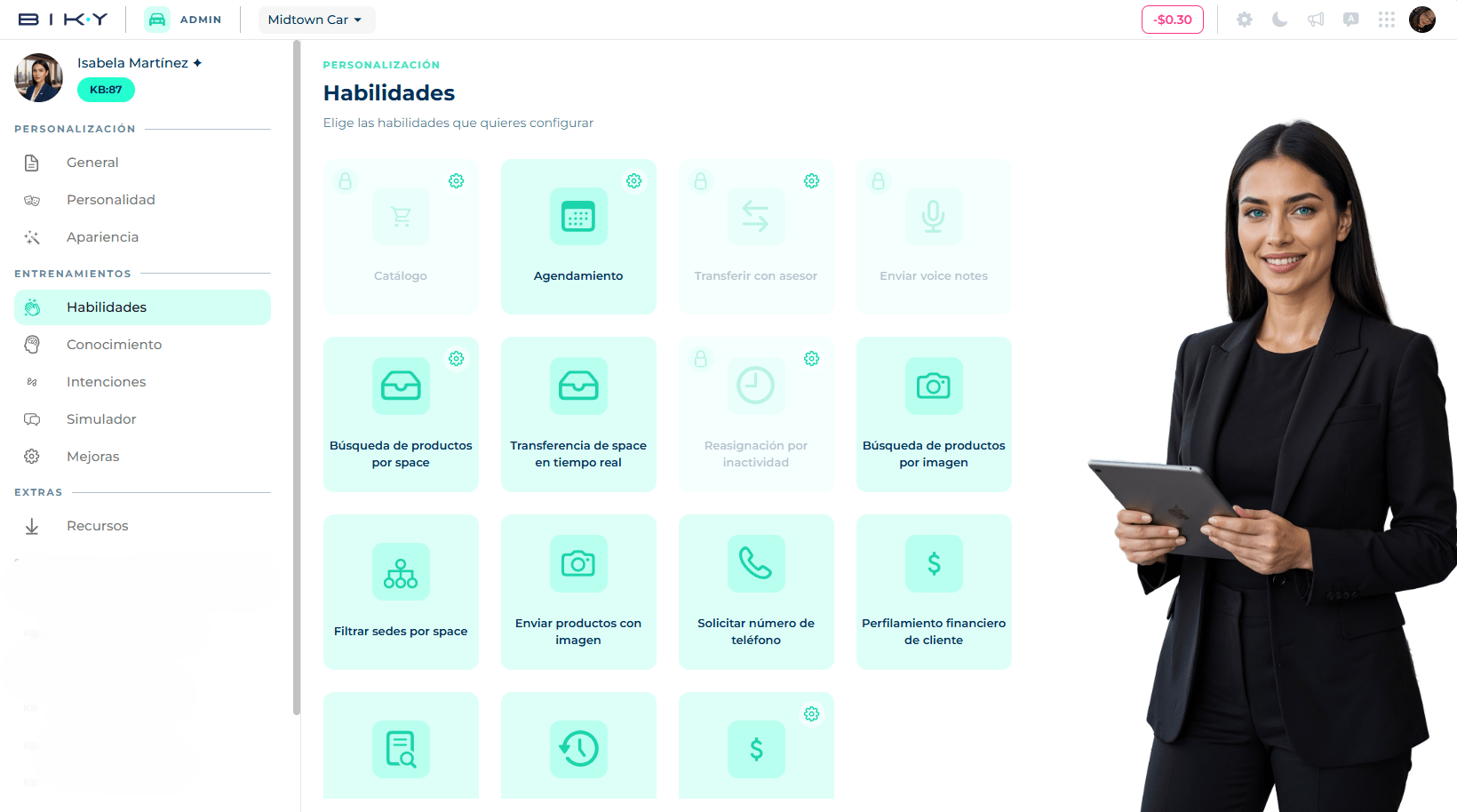
Cards with a lock
Some skills come on and locked because they are part of how the agent works at its core (catalog, transfer to advisor, voice notes, reassignment on inactivity). They can be configured but not turned off. If your account is in the automotive sector, every card shows locked and the Keybe team handles the configuration.
The skills
| Skill | What the agent does when it is on |
|---|---|
| Catalog | Looks up your Keybe Catalog to answer about products, recommend and offer them. With Shopify connected, the catalog syncs itself every 24 hours and the customer can build a cart and receive a checkout URL. |
| Scheduling | Connects to your advisors' Google calendars to book video or in-person meetings based on their availability. See Calendar. |
| Transfer to advisor | Hands the conversation to a human when it deems necessary or when an instruction says so. Configurable (below). |
| Send voice notes | Replies with voice notes using the voice chosen in Appearance. |
| Product search by space | Searches the catalog only within the categories assigned to the conversation's space. Requires every space to have categories configured. |
| Real-time space transfer | Moves the conversation to another space mid-chat without losing context. |
| Reassignment on inactivity | If an advisor took the conversation and does not reply within X minutes, the agent takes it back. Configurable (below). |
| Product search by image | Analyzes photos the customer sends and recommends similar products from the catalog. May have an additional cost. |
| Filter branches by space | When talking about branches, shows only those linked to the conversation's space. |
| Send products with image | Every recommended product comes with its photo instead of plain text. |
| Request phone number | If the contact has no phone saved (typical on Instagram or Facebook), the agent asks for it. |
| Context window | Recovers the key points of previous sessions with the same contact, so it does not start from scratch every time. |
To turn a skill on or off, click the card. The change saves instantly.
Skills with configuration
Transfer to advisor
A single switch: Transfer to the advisor only when available.
- On: if no advisor is available, the agent keeps handling the chat itself instead of leaving the customer waiting.
- Off: it transfers anyway; the conversation waits until an advisor picks it up.
The agent respects your account hours when deciding whether someone is available.
Reassignment on inactivity
Set after how many minutes of advisor inactivity the agent takes back control of the conversation. A low value (5–10) avoids stranded customers; a high one gives the advisor room to juggle several chats.
Product search by space
When you turn it on, if any space lacks categories the agent warns you and takes you to configure them. Once ready, you can write a prompt with additional search criteria for this mode.
Scheduling and Catalog (automotive sector)
On dealership accounts these two cards open a specific configuration with switches and optional instructions per type:
- Scheduling: appointments for new cars, workshop / maintenance / service appointments, and incentives.
- Catalog: the catalog contains new cars, used cars and/or parts, with instructions per group.
The platform shows a recommended configuration; you must Save changes to apply it.
Skills by role
These three appear only for administrators or accounts enabled by Keybe:
- Customer profiling: the agent uses a prompt to learn the prospect's needs, preferences and expectations from the start.
- Financial customer profiling: assesses whether the customer meets financial criteria (payment method, history, budget). Both are configured with an editable prompt that can be restored to default values.
- Quotations: calculates the monthly payment for a financed vehicle and sends it in the chat or as a PDF.
If you do not see them and need them, contact your Keybe representative.
Quotations
The agent works out in the chat how much the customer would pay per month for a financed vehicle. It takes the price from the Catalog, the down payment the customer proposes and your brand's credit terms —minimum down payment, interest rate, opening commission and VAT—, and replies with the monthly payment for each term, from 24 to 72 months, in the currency the vehicle has in the catalog. If configured, it also sends the quote as a PDF with the month-by-month payment schedule.
The interest rate is not shown to the customer, and all figures are for reference only: they are subject to credit approval.