Outbound
Outbound is the outgoing campaigns module: bulk messages over WhatsApp, email and SMS to a CDP segment or to a list you upload. Every campaign is scheduled, sent and measured from here.
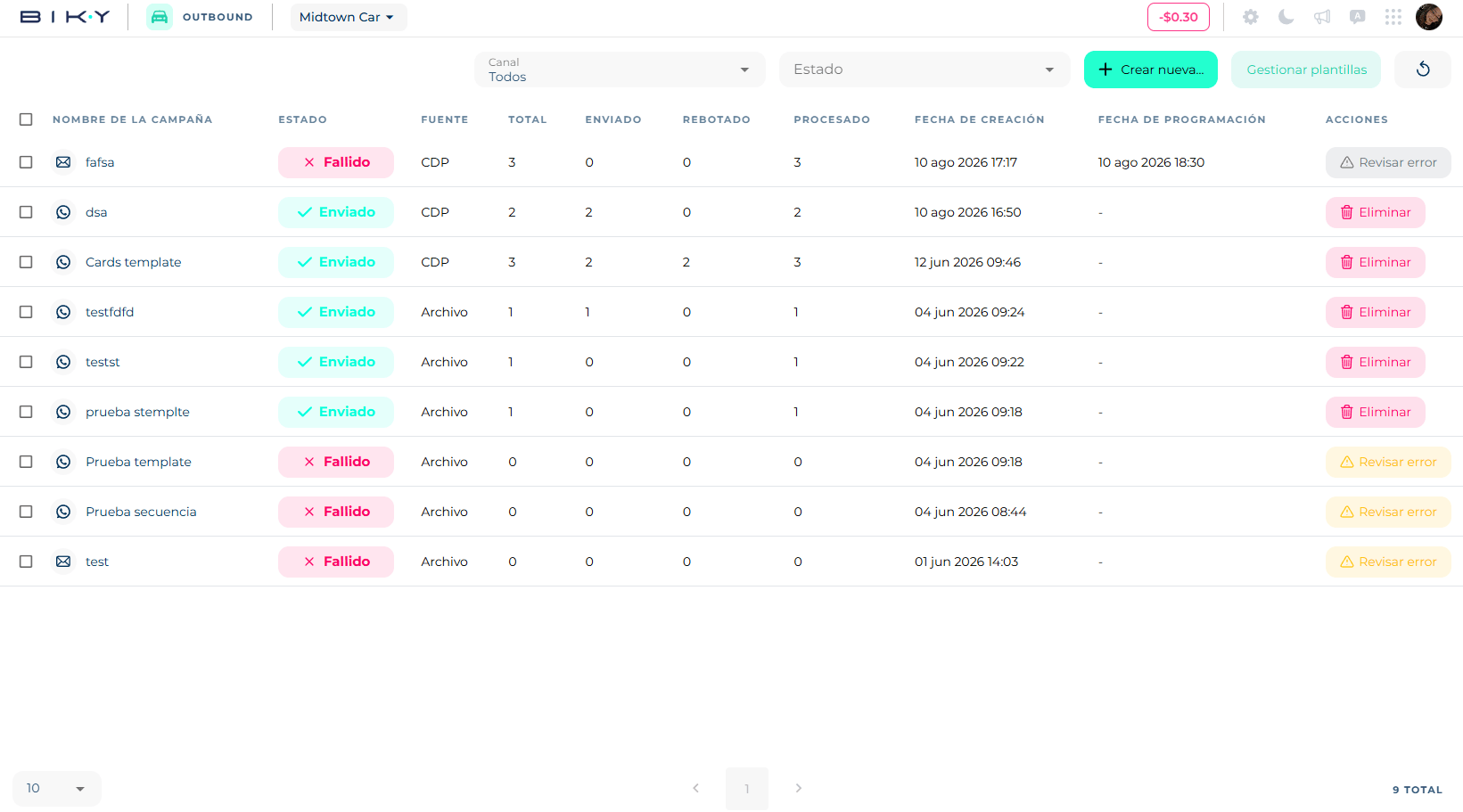
The screen
At the top, two filters — Channel (All, WhatsApp, Email, SMS) and Status — and three buttons:
- Create new… → WhatsApp campaign, Email campaign, SMS campaign. See Create a campaign.
- Manage templates → WhatsApp, SMS and Email templates. They open the matching section of Settings; templates are not edited from Outbound. For email templates, see Email templates.
- Reload.
The table lists each campaign with Name, Status, Source (segment or file), Total contacts, Sent, Bounced, Processed, Creation date, Schedule date and Actions. With the checkboxes you can select several and Export selected. Click a row to open its detail.
Campaign statuses
| Status | What it means |
|---|---|
| Draft | Created with Create as draft. No contacts imported, no cost calculated. Can be edited and sent. |
| Importing | Loading the contacts from the segment or file. |
| In review | Contacts loaded. Time to review cost and preview, and schedule. Still editable. |
| Scheduled | Has a send date and time. No longer editable; you can cancel the schedule. |
| Sending | It went out and is in progress. You can cancel what remains. |
| Sent | Finished. Check the journey and KPIs. |
| Failed | Something prevented sending. Depending on the cause you can Retry or must Review the error first. |
Row actions
Depending on status you get Send (draft), Cancel (scheduled or sending), Retry / Review error (failed) and Delete (draft, in review, sent or failed). The detail also has Schedule, Export and Duplicate.
Campaigns use balance
The cost is deducted from the account balance (the red number in the header). In the detail you can calculate the estimated cost before scheduling. See Billing.
In this section
- Create a campaign: audience, channel, template and drafts.
- Schedule and track a campaign: cost, scheduling, delivery journey, KPIs and contacts.