Import contacts
To load many contacts at once — a base from another system, the attendees of an event, a supplier list — use Import. It works on all three tabs (People, Businesses, Branches); the wizard adapts to the entity.
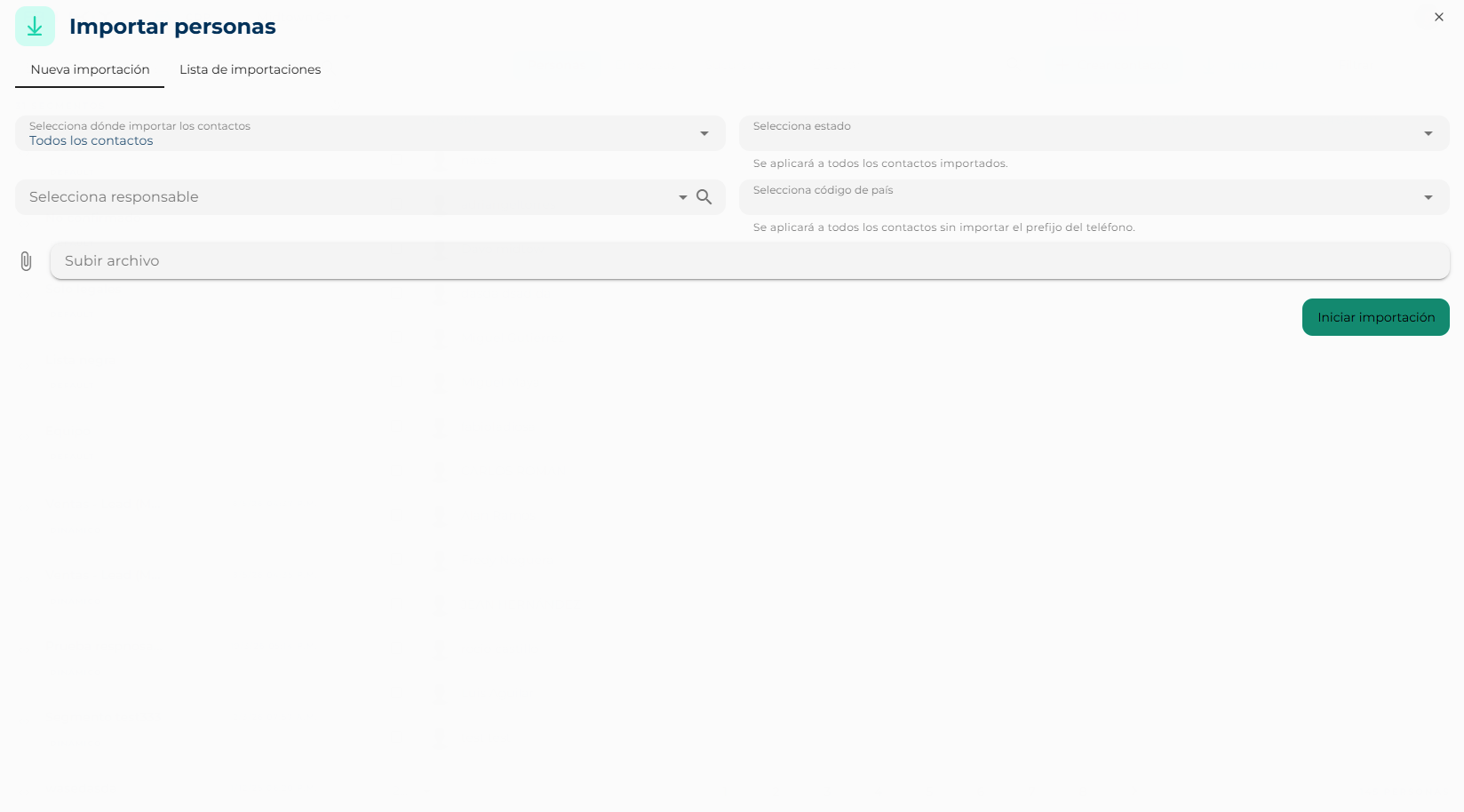
Step 1: configure
- Select where to import the contacts:
- All contacts: they enter the base with no segment of their own.
- New segment: type a name and a static segment is created with exactly these contacts.
- Existing segment: pick a static segment you already have and they are added to it.
- Select status (optional): applied to every imported contact.
- Select owner (optional): the advisor who will be in charge of all of them.
- Select country code: prepended to every phone that comes without a prefix. If your file already has numbers like
+57…, you do not need it. - Upload file: one file per import.
- Start import.
Prepare the file
One row per contact and one column per field, with headers in the first row (First name, Last name, Phone, Email…). No blank rows in between and no merged cells. Phones are best with the country code.
Step 2: map columns
The platform reads your file's headers and asks what each one is:
- Column: the name as it comes in your file.
- Keybe field type: the data family (primary, demographic, your category…).
- Keybe field: the specific field it goes to (First name, Phone, City…). Some have a Keybe child field to refine.
At the top you are told which required columns are still unmapped and how many fields remain unassigned. Columns you do not map are ignored. Next.
Step 3: preview
You see the first rows already with Keybe field names. If something landed in the wrong column, Go back and fix the mapping. If it looks right, Create import.
Track the import
The Imports list tab shows each file with Name, Status, Imported (how many records got in), Size, Owner, Started and Actions. Statuses go from created and queued to processing and finished; error means the file could not be processed.
Click an import to see its detail: the configuration you used, the header mapping, the record count and the buttons to download the original file or the records.
Downloading personal data
When downloading, the platform shows Avoid downloading information: a file with personal data outside the platform is a privacy and compliance risk. Do it only if indispensable and delete it when you are done.