Intentions
Intentions are targeted instructions for specific situations: "when the customer asks for an invoice, ask for tax ID and company name", "if they ask about shipping to Venezuela, clarify we do not". Knowledge tells the agent what it knows; intentions tell it what to do in a specific case.
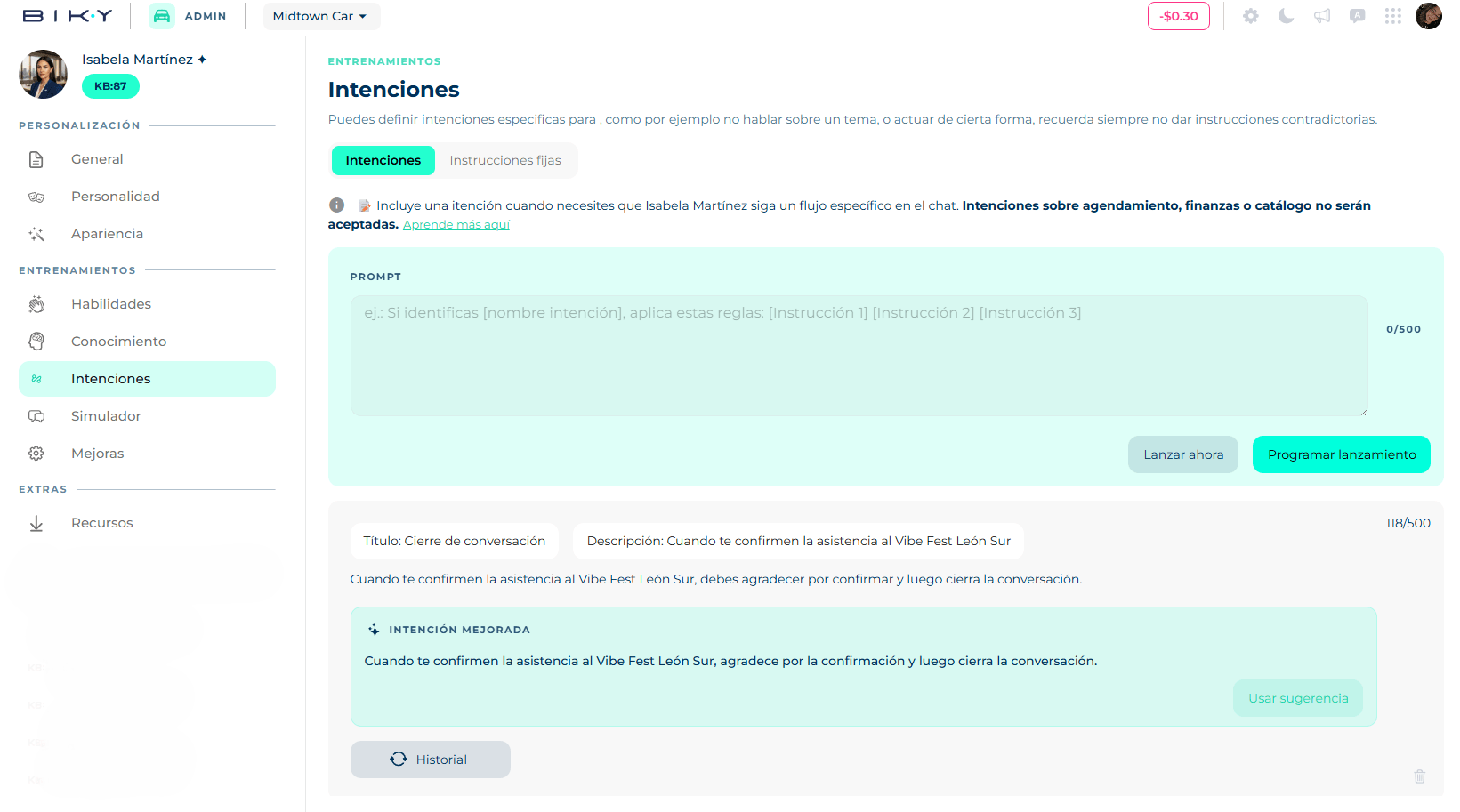
You edit them under Biky admin → Intentions.
What does not belong here
Intentions about scheduling, finance or catalog are not accepted: those behaviors are already handled by Skills and a contradicting instruction breaks them. Do not give instructions that contradict each other either.
Create an intention
- In the Prompt editor, write the instruction. The counter below shows the available character limit.
- When you finish, the agent analyzes the instruction to detect contradictions with existing ones. If it finds a better wording, it proposes it as an Improved intention; you can take it with Use suggestion or keep yours.
- Choose how to publish it:
- Launch now: takes effect immediately.
- Schedule launch: set a start date and an end date. Ideal for promotions or campaigns with an expiry.
- The intention appears in the list below with a title and a description generated from the prompt.
How to write a good prompt
An effective prompt is clear, precise and relevant. The structure that works best:
If you identify [customer intent], apply these rules: [instruction 1] [instruction 2] [instruction 3]
Examples:
- If asked about warranty, answer it is 12 months and ask for the invoice number.
- When a user wants to return a product, ask them to provide: order number, reason and a photo of the product.
- Do not use the word "cheap"; use "affordable" instead.
One intention, one situation
Short, focused prompts are detected better. If you have ten rules, create ten intentions, not one with ten bullets.
Edit, restore and delete
In the list, each intention shows its title and description. Click to edit them or change the prompt (up to 500 characters when editing) and save.
The Latest changes button opens the History with previous versions of that intention. From there you can Restore an earlier version if a change made replies worse.
To delete an intention use the trash icon; it asks for confirmation.
Test before launching
After creating or changing an intention, go to the Simulator and type a message that triggers it. If the agent does not reply as expected, come back, adjust the prompt and try again.