Flows
Flows is the automation builder: on a visual board you connect a trigger ("when this happens") with a series of nodes ("do this"). Use it for appointment reminders, 48-hour follow-ups, satisfaction surveys, self-service menus and connections with external systems.
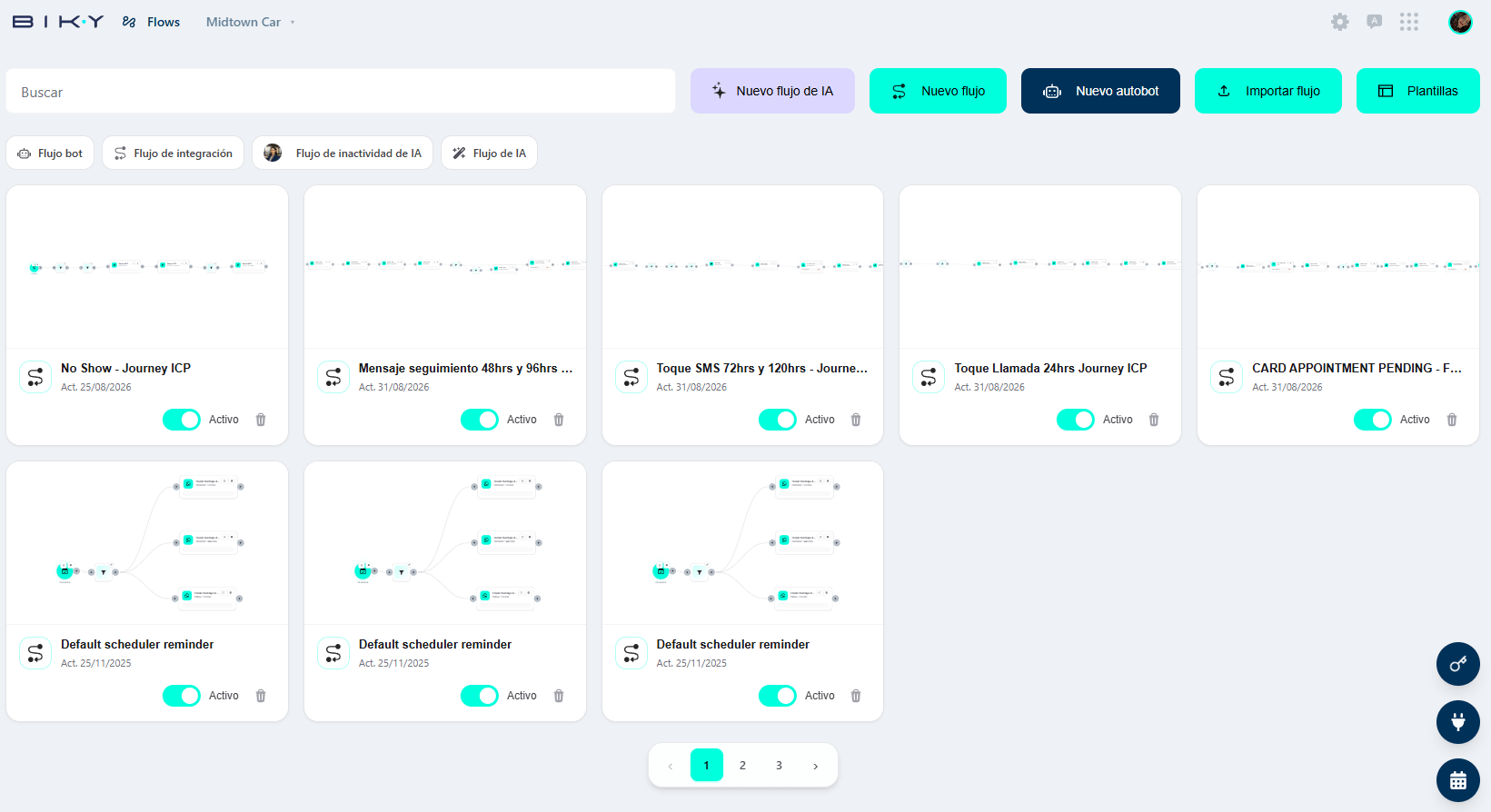
The list
Search filters by name. On the right, five buttons:
| Button | What it does |
|---|---|
| New AI flow | Flow that governs the agent's behavior on inactivity and closing. |
| New flow | Trigger-based automation. The one you will use most of the time. |
| New autobot | A menu bot that follows your sales flow step by step. |
| Import flow | Upload an exported flow (yours or from another account). |
| Templates | List of ready-made templates, filterable by type. |
Below, four flow type filters: Bot flow, Integration flow, AI inactivity flow and AI flow.
Each card shows a preview of the board, the name, the last update date (Upd. 25/08/2026), an Active / Inactive switch and the delete icon. Click the card to open the board.
The switch rules
An Inactive flow does not run even if it is perfectly built. When you finish editing, check that it is Active; and if a flow is causing trouble, turning it off is faster and safer than deleting it.
The four flow types
| Type | What it is for |
|---|---|
| Flow (triggers) | The general case: something happens on the platform → nodes run. Reminders, follow-ups, syncs. |
| Autobot | Option menus for the customer: 1. New cars, 2. Workshop, 3. Customer service, each with its transfer. It predates the AI agent; today most accounts use the agent instead. |
| Integration flow | Listens to events and sends them to external systems (or the other way around) via webhook and HTTP requests. |
| AI flow / AI inactivity flow | Defines what the agent does when the customer stops replying: at 3 min, 30 min, 1 h, 4 h… and when to close the conversation. |
Flows vs. the agent
The agent already decides what to answer in the conversation. Flows is for what the agent does not do: wait 48 hours, call an external system, or message someone who is not writing. If something can be solved with an Intention, you do not need a flow.
In this section
- The board: build a flow, save, test and review runs.
- Triggers and nodes: what can start a flow and what each node can do.